Reading is one of the great loves of my life, and for about a year and a half after my neuropathy got serious, I started avoiding it. That's still a hard sentence to write. The book club had me reading novels I genuinely wanted to read, and I would pick one up, get through about ten pages, and put it back down because my hands were aching from holding it and my feet were burning from sitting in the same position. The book wasn't the problem. The setup was.
What changed isn't a single product or a single trick. It's a small handful of adjustments that, together, gave me back hours of comfortable reading every week. Most of them cost almost nothing. The whole point of this article is to share what works, in case you've been putting books down too, and you don't have to.
Why Reading Hurts More Than It Used To
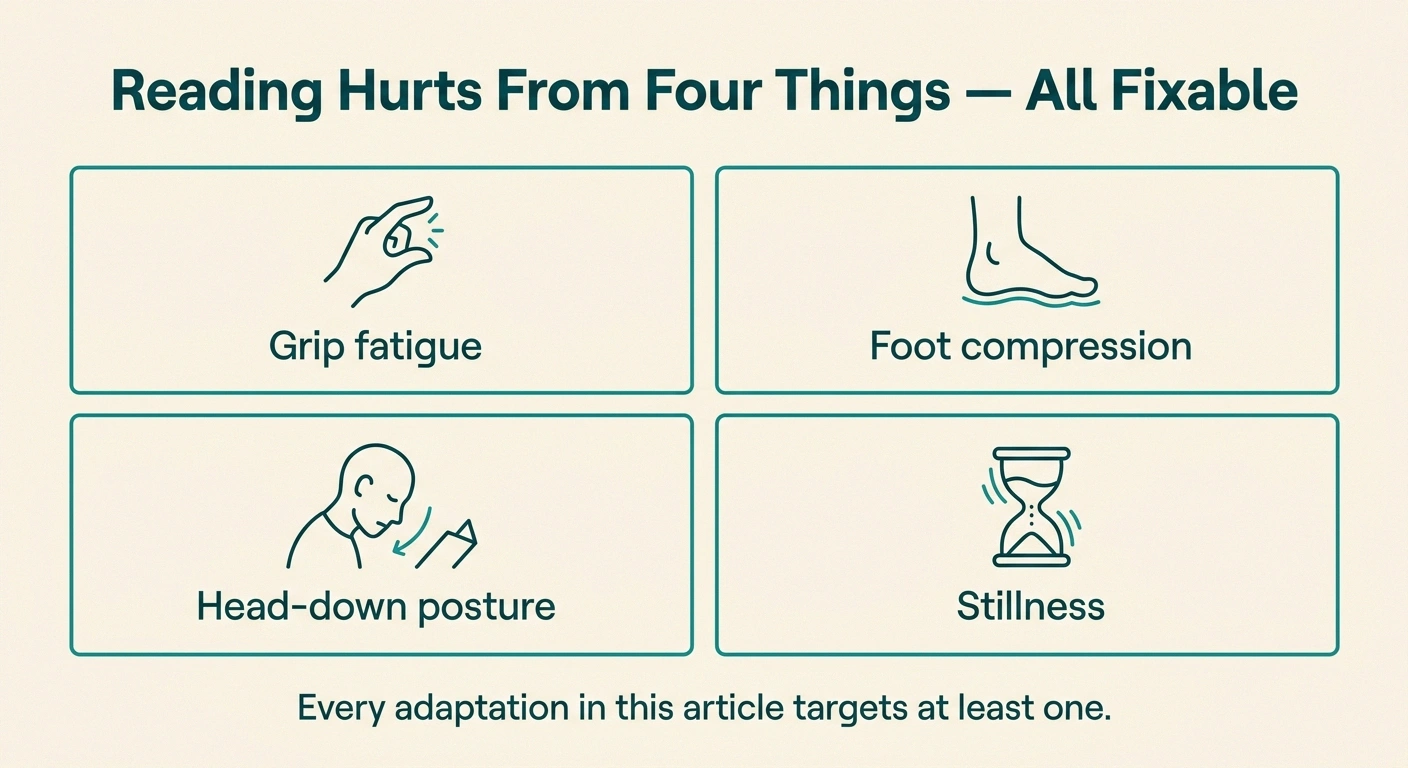
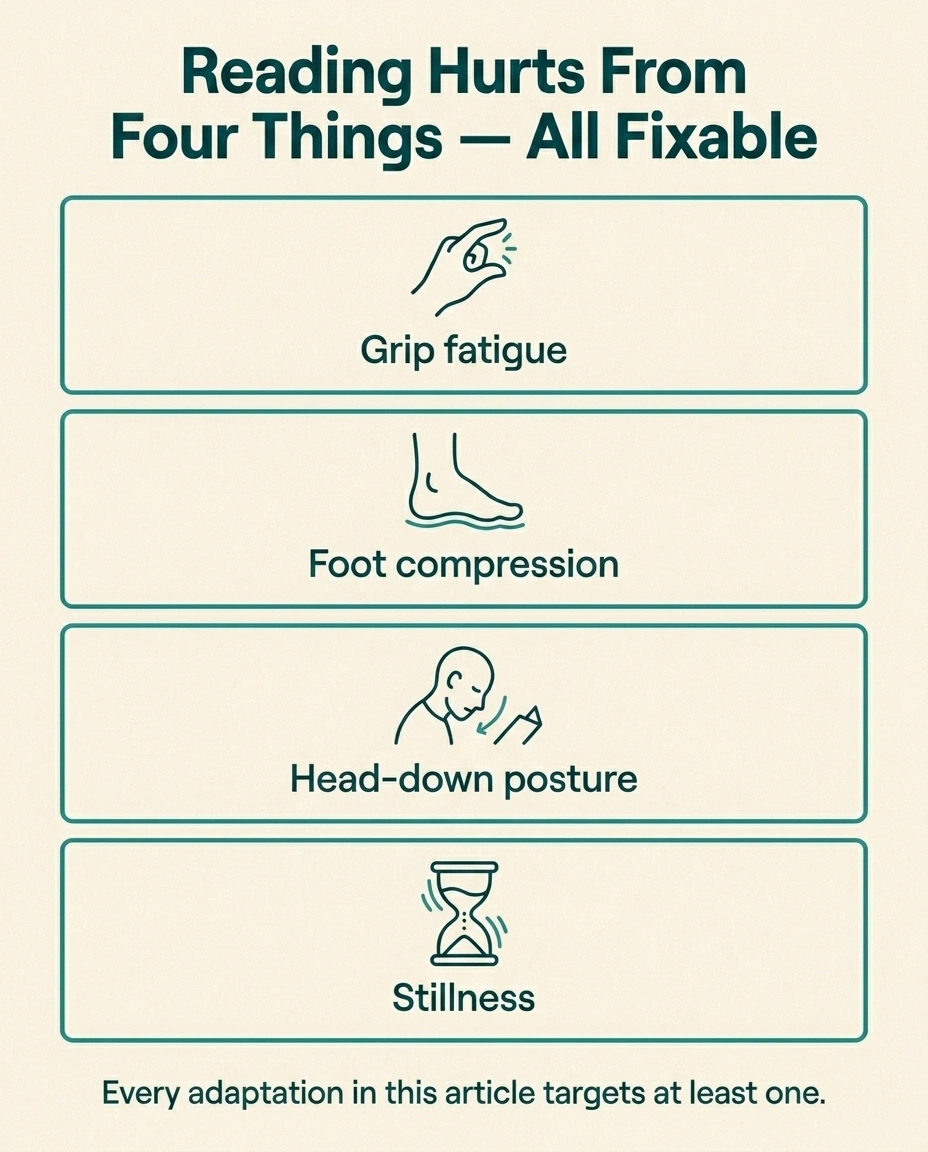
It helps to understand exactly what's going on, because the fixes target specific problems.
The Four Reading-Pain Problems
1. Grip fatigue
Pinch grip on a hardcover spine flares hand neuropathy
2. Foot compression
Sustained sitting compresses small nerves and slows blood flow
3. Head-down posture
Tilting to read in your lap strains neck and shoulders
4. Stillness
Circulation slows when nothing moves — symptoms accumulate
Key Takeaway
A comfortable reading setup attacks four problems: grip fatigue, foot compression, head-down posture, and stillness. Lightest e-reader you can buy. Book holder if you stay on paper. Feet up. Task lighting. Move every 20-30 minutes. Most fixes cost $10-40.
Holding a hardcover book takes more grip strength than people realize. The pinch grip on a paperback spine, repeated for an hour, can flare hand neuropathy. Sustained sitting with feet on the floor compresses the small nerves in the feet and ankles. Tilting the head down to read in your lap strains the neck and shoulders. And the longer you sit still, the worse all of it gets, because circulation slows when nothing moves.
So a comfortable reading setup is essentially a campaign against four specific problems: grip fatigue, foot compression, head-down posture, and stillness. Every adjustment in this article addresses at least one of those.
The Single Best Upgrade: An E-Reader
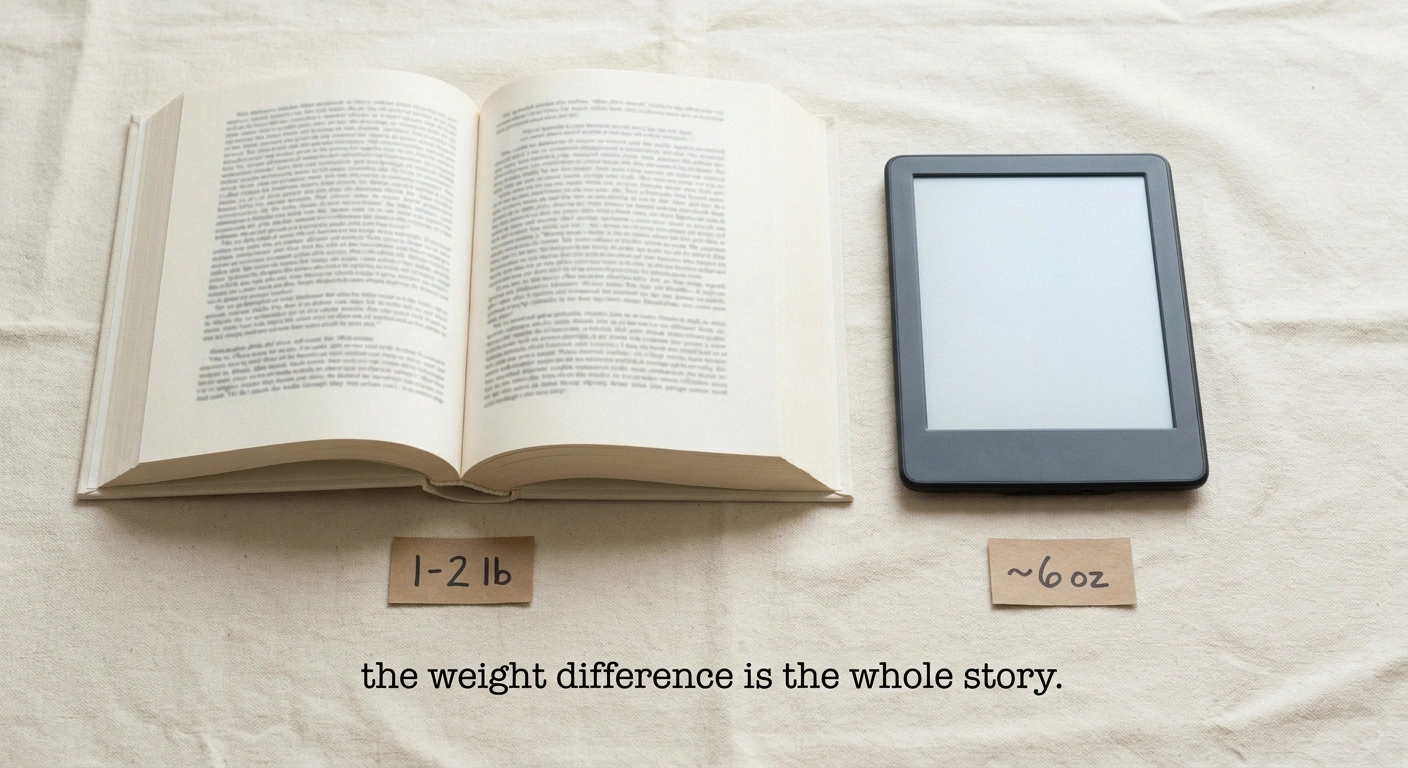
If you read more than a couple of books a year and you're still reading on paper, consider a basic e-reader. A Kindle Paperwhite, a Kobo Clara, or any current entry-level model weighs around six ounces. A hardcover novel weighs one to two pounds. That's a three- to five-fold reduction in what your hands have to hold, every page, every minute, for the entire reading session.
~6 oz
vs. 1-2 lbs for a hardcover
A basic e-reader weighs roughly 3-5x less than a typical hardcover novel. Single biggest hand-pain reduction available.
For people with hand neuropathy, that one change does more than any other piece of advice in this article. The book disappears as a physical object. The pinch grip is gone. Page turns are a button press or a screen tap rather than a knuckle-flex. You can read in dim light without a separate book light because the screen is its own gentle source.
A few practical notes:
- Pick the lightest model. The newest features rarely matter; weight does. The base Paperwhite or Kobo Clara is fine.
- Try buttons if you can. Some e-readers (Kobo Sage, Kindle Oasis) have physical page-turn buttons. People with severe finger neuropathy often find them easier than a touchscreen tap that requires sustained skin contact.
- Set the font larger than you think you need. Reducing eye strain reduces the head-tilt-down posture that drives neck and shoulder pain.
- Use a thin case with a strap or grip. Even a six-ounce device benefits from a hand strap that lets your hand relax instead of pinch.
If you've been a paper-book purist your whole life, I understand the resistance. I was one too. The trade-off, for me, was deciding whether I wanted to read or whether I wanted to be the kind of person who only reads on paper. Reading won.
If You Still Want Paper Books
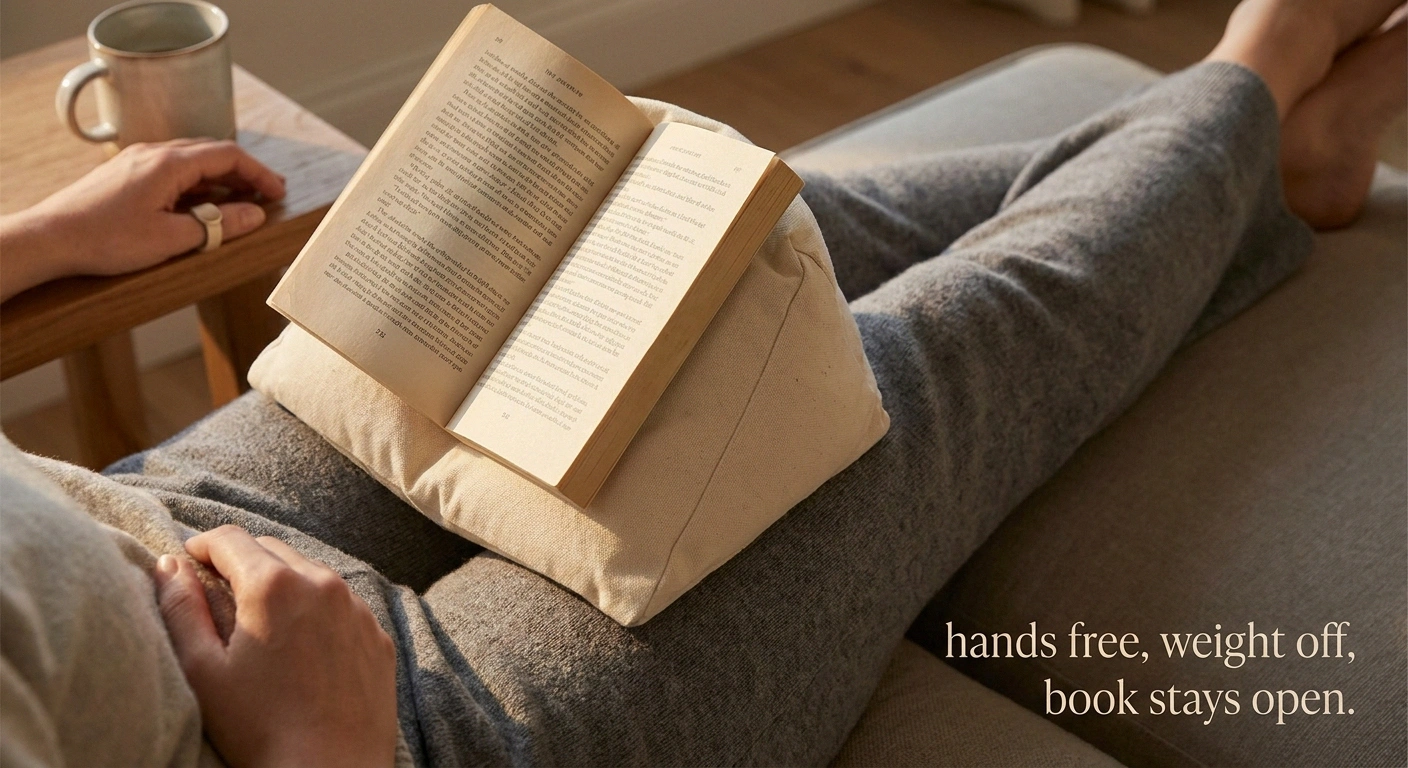
Some books aren't available digitally, some libraries are stronger in physical books, and some readers genuinely love paper for reasons that aren't going away. There are good adaptations.
Use a book holder. A simple stand or pillow-style holder takes the weight of the book entirely off your hands. The popular options:
- BookSeat-style bean-bag pillow. A wedge-shaped pillow with an elastic strap that holds the book open. Sits on your lap or a table. Works for paperbacks and hardcovers. Around $25-40.
- Adjustable book stand. Wire or wood stands that prop a book up at a comfortable reading angle. Better for tables than laps. Around $15-30.
- Floor stand or arm-mount stand. For people who read in a recliner or hospital-style adjustable chair, an arm-mounted book stand can hold the book at exactly your eye level with no head-tilt. More expensive, around $50-100, but transformative for serious reading.
Use a thumb-style page turner. A thin plastic ring (FlipKlip is the popular brand, but generic versions work fine) slips over your thumb and lets you flip a page with a small slide motion instead of a pinch-and-flick. Around $10. Genuinely useful if you have hand neuropathy.
Break the spine on long paperbacks. Old-fashioned, sometimes controversial among book purists, but if a paperback is too thick to lie open without being held, gently breaking the spine lets it rest open on its own. The book becomes a tool you can read, instead of a tool that fights you.
Use page weights. A small fabric-covered weight or even a clean smooth river-rock can hold pages open without you having to. Pair with a book stand for hands-free reading.
The Foot Setup Matters as Much as the Hand Setup
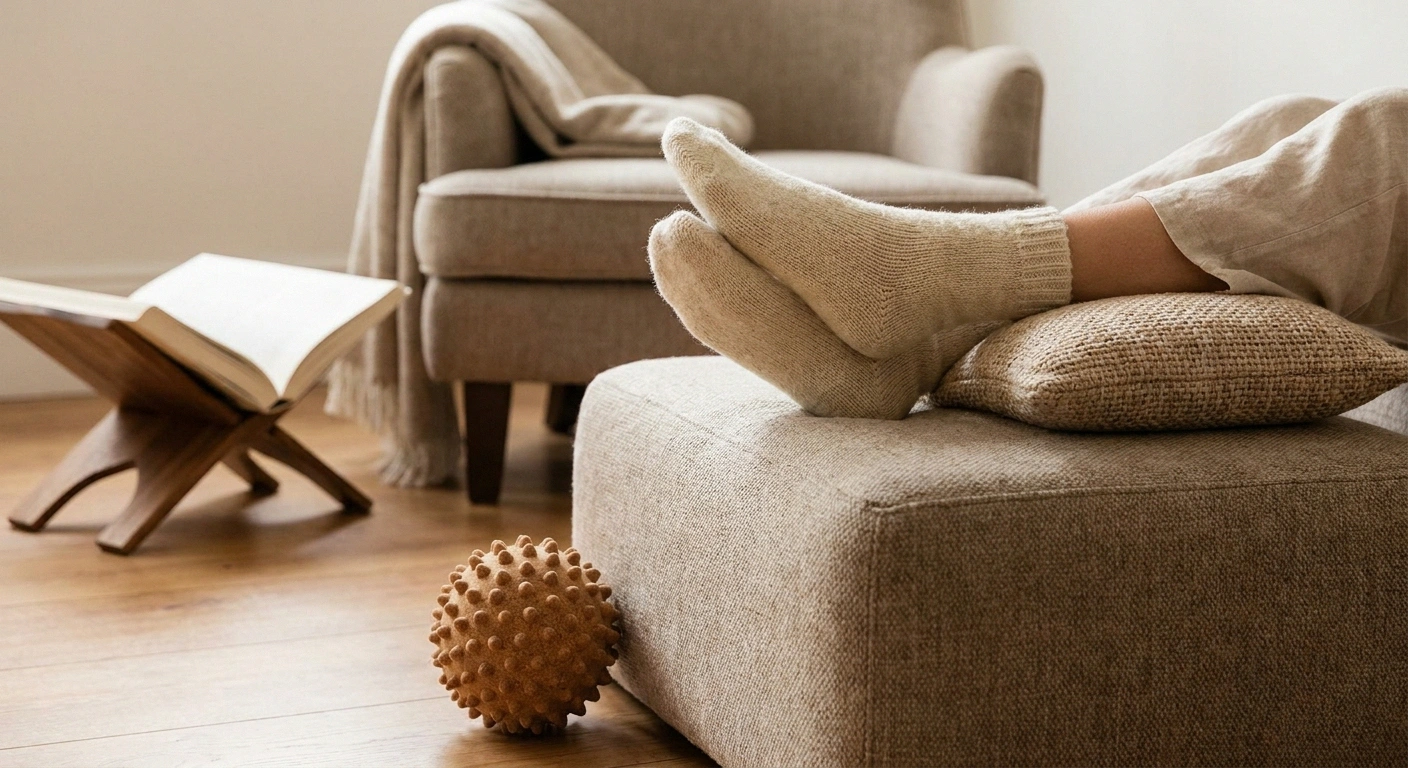
The mistake I made for years was focusing entirely on what my hands were doing and ignoring what my feet were doing. The result was that I'd solve the hand problem and still have to stop reading after thirty minutes because my feet were on fire.
The foot fixes are simpler than they look:
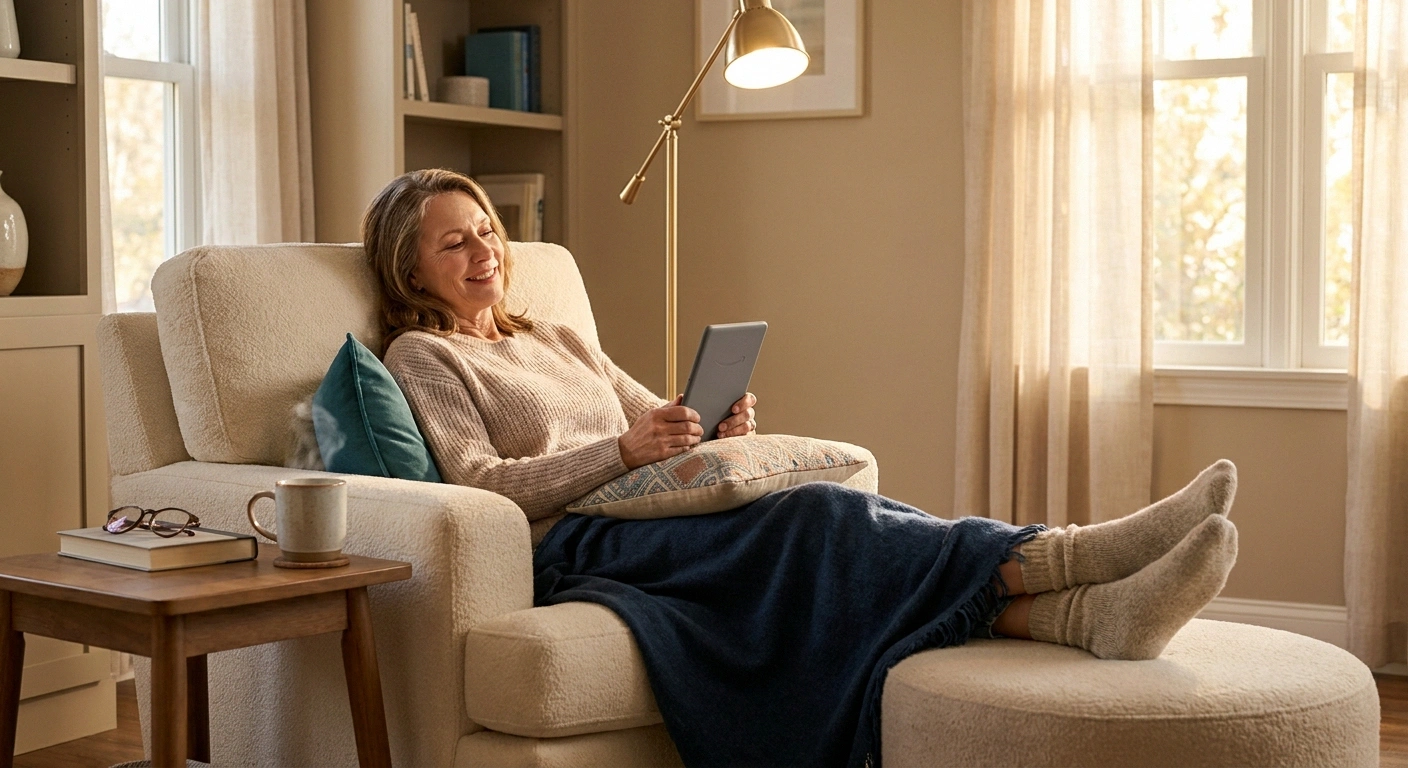
Elevate. Feet on the floor for an hour straight is a recipe for neuropathy flare in most of us. Feet up — even slightly — keeps blood and lymph moving and reduces the dull throbbing pressure that builds in compressed feet. A recliner, a footstool, a wedge pillow on the couch, or just a pile of throw pillows under your calves all work.
Sock the feet. Soft, loose socks reduce the sensory-input chaos that bare feet provide during a long reading session. Some people find compression socks help; others find them too much. Footwear that respects the feet applies indoors too — house slippers should be soft, supportive, and well-fitting, not floppy and abrasive.
Pillow between the knees if you read on your side. If you read in bed on your side, a small pillow between the knees keeps the hips aligned and reduces sciatic compression that can amplify foot symptoms.
Move every twenty minutes. Even just point-and-flex the ankles, wiggle the toes, roll the feet over a tennis ball or a small massage ball under the chair. Stillness is the enemy. Movement is the medicine. Brief foot massage during reading breaks can extend a reading session significantly.
The Chair or Bed Setup
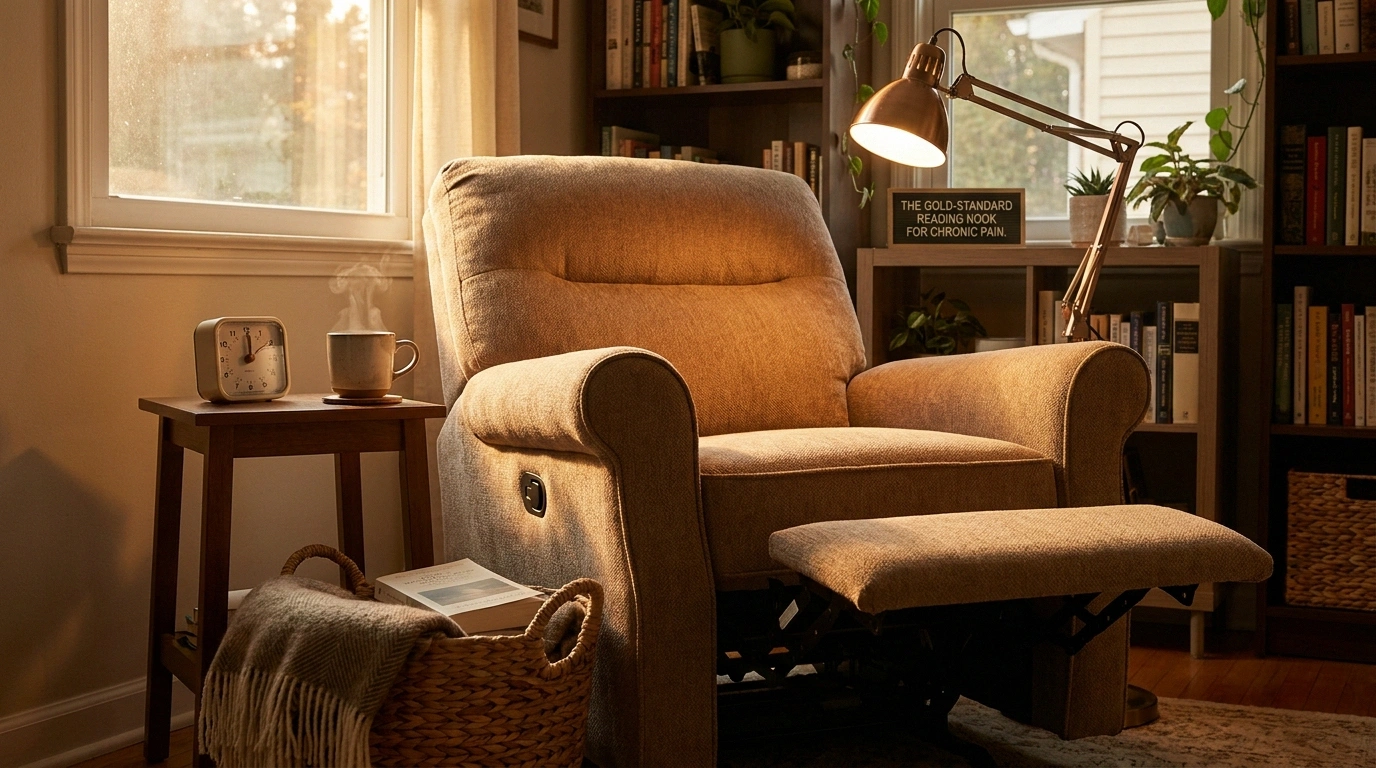
Where you read matters more than the book. A few configurations that work well for people with neuropathy:
Where to Read — Setup-by-Setup
Recliner + footrest
Gold standard for long sessions. Head supported, feet elevated, book holder on lap.
Bed (wedge pillow + knee roll)
Upper body propped, knees supported, clip-on light. Avoid book held overhead.
Couch (feet up against opposite arm)
Pillow at head, feet up, book on chest. Comfortable for an hour. Risk: nap.
Kitchen table (heavier books / notes)
Book stand + cushioned chair. Best for cookbooks, reference, and notetaking.
The recliner setup. Recliner with a footrest, head supported, book holder on the lap or on a swing-arm tray. Lap blanket because circulation may run a little cool. This is the gold standard for long reading sessions. If a recliner isn't in the budget or the room, a regular armchair plus an ottoman gets you most of the way there.
The bed setup. Wedge pillow or adjustable bed frame to prop the upper body. Knee-roll pillow under the knees to relieve lower back. Reading light clipped to the headboard instead of held in the hand. Book stand or e-reader holder on a lap desk if you have one. The mistake to avoid here is reading flat on your back with the book held overhead — your arms will be screaming in fifteen minutes.
The couch setup. Pillow under the head against the armrest, feet up on a stack of cushions or the opposite armrest, book holder on the chest. Surprisingly comfortable for an hour. The risk is that “comfortable enough” turns into “asleep,” which is fine if you're not actively trying to finish a chapter.
The kitchen table setup, for nonfiction. Heavier reference books, cookbooks, or anything you want to take notes on go better at a table than in a chair. A good book stand at the table, a notepad, and a comfortable kitchen chair with a cushion lets your hands stay free and your back stay supported. Many of the same principles apply across rooms — neutral spine, supported limbs, no sustained pinch grip.
Lighting
Dim light makes you tilt your head forward and squint, which adds neck and shoulder strain to the reading session. Adequate light is one of the cheapest fixes available.
- Use task lighting, not just overhead. A bright reading lamp positioned over your shoulder casts light directly onto the page without glare in your eyes.
- Adjustable color temperature helps. Daytime: cool, bright. Evening: warmer, dimmer. Many modern reading lamps have a switch.
- Clip-on book lights for paper books in bed. A USB-rechargeable clip-on light is around $15 and saves your partner from having to read with the overhead on.
- For e-readers, use the built-in light at a moderate setting. Most have warm-light modes for evening that reduce eye strain.
Pacing the Reading Session
Even with a perfect setup, sitting still for two hours straight will flare most people's neuropathy. Better to read in shorter sessions with movement in between.
The 20-30 Minute Block
Set a timer. At the ding: stand, walk a few steps, point and flex the ankles, shake out the hands, drink water. Then sit and start the next block.
Three or four short blocks beat one continuous two-hour session, and the next day's pain payment is much smaller.
The 20-30 minute block. Set a timer if you tend to lose track. At the timer, stand up, walk a few steps, point and flex the ankles, shake out the hands, drink water. Then sit back down and start the next block. Most readers can do three or four blocks like this with no flare; trying to do one continuous two-hour session usually pays a price for the rest of the day.
Alternate hands. If you're reading paper, switch which hand holds the book at chapter breaks. Most of us have a dominant hand that does ninety percent of the gripping; spreading the work helps.
Mix in audiobooks. A 45-minute paper or e-reader session followed by a 30-minute audiobook walk is one of the best combinations I've found. The audiobook keeps the same story moving while your hands and feet recover. Most major library systems give free access to audiobooks through apps like Libby; you don't need a separate Audible subscription unless you want one.
Don't read through pain. The temptation is to power through “just one more chapter.” With neuropathy, that's the same trap as cleaning past the timer. Once a flare starts, it doesn't stop when the book is closed. Stopping a few pages early protects the next reading session.
What to Buy First, If You're Buying One Thing
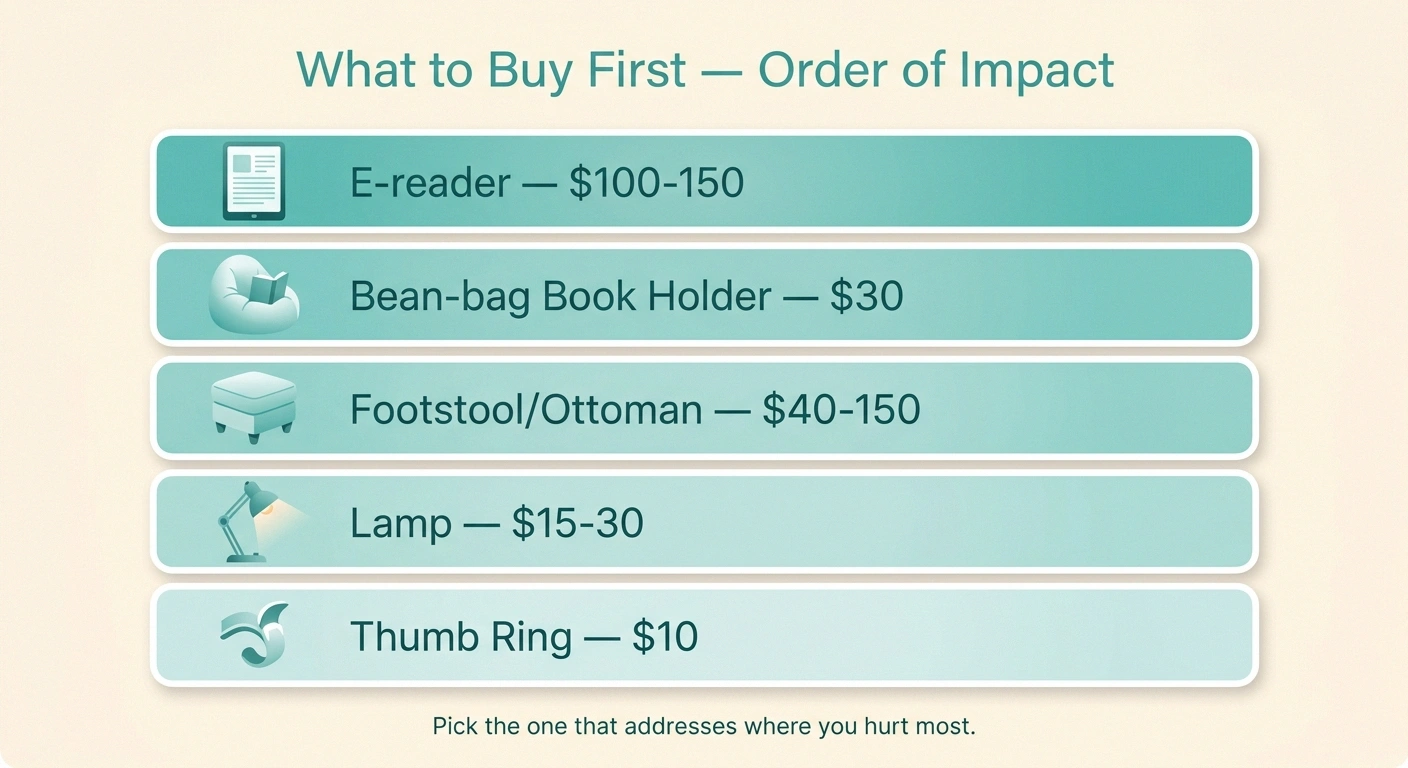
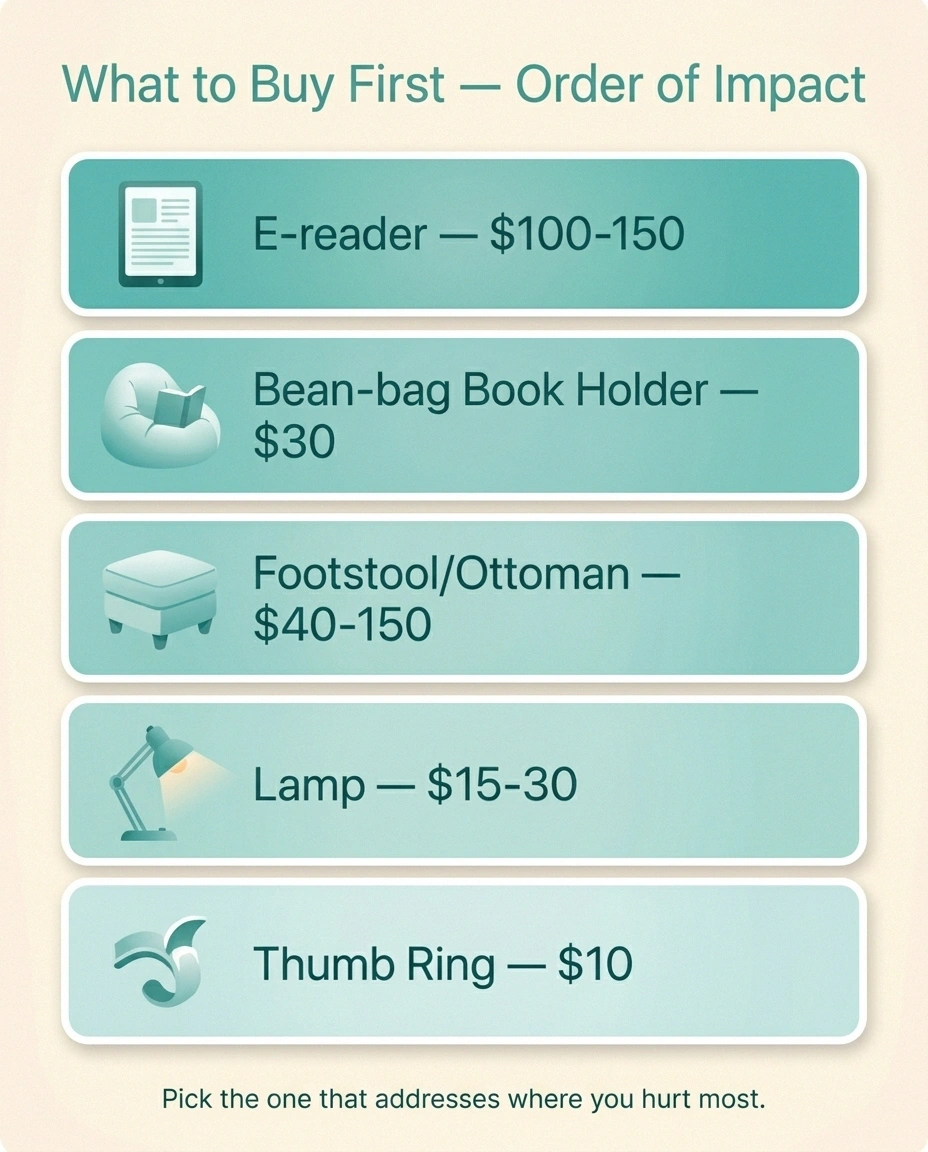
If your budget for “improving my reading life with neuropathy” is exactly one purchase, here's how I'd rank the options.
Spend $1, Spend $0, Spend Nothing — Order of Impact
E-reader — biggest hand-pain reduction. ~$100-150
Bean-bag book holder (paper readers) — ~$30
Footstool or ottoman — biggest foot-pain reduction. ~$40-150
Clip-on book light or task lamp — ~$15-30
Thumb page-turner ring (FlipKlip) — ~$10
- An e-reader, if you don't already have one. Single biggest hand-pain reduction. About $100-150 for a base model.
- A bean-bag book holder, if you read paper. Single biggest grip-fatigue reduction for physical books. About $30.
- A footstool or recliner, if your current chair has no foot support. Single biggest foot-pain reduction. About $40-150 for a basic ottoman.
- A clip-on book light or task lamp. Single biggest neck-strain reduction. About $15-30.
- A thumb-style page turner. Niche but cheap and effective for hand neuropathy. About $10.
Most of us don't need all of these. Pick the one that addresses the part of your body that hurts most, try it for two weeks, and see if reading starts feeling like a pleasure again instead of a negotiation.
Frequently Asked Questions
Is an e-reader really better than a paperback for neuropathy?
For most people with hand neuropathy, yes — primarily because of weight. A typical e-reader weighs around six ounces, while a hardcover novel can weigh one to two pounds. Reduced grip and weight load over a long reading session can be the difference between a comfortable hour and a flare. People with vision concerns also benefit from adjustable font sizes.
What's the best position for reading with foot neuropathy?
Reclined or semi-reclined with feet elevated above heart level when possible. This keeps blood and lymph moving and reduces the compression that drives flare-ups during long stillness. A recliner, a wedge pillow on the couch, or pillows propping up the calves all work. Movement breaks every 20-30 minutes are at least as important as the position itself.
Are book holders worth it?
For paper book readers with hand neuropathy, yes. A bean-bag style book holder, a tabletop stand, or an arm-mounted stand transfers the weight of the book entirely off the hands and removes the pinch grip that flares finger and thumb symptoms. Around $20-40 for a basic version and one of the highest-leverage purchases on this list.
How long can someone with neuropathy read at a stretch?
It varies, but most people do better with 20- to 30-minute reading blocks separated by short movement breaks rather than one long continuous session. Even a 60-second stand-and-stretch between blocks resets circulation and prevents the slow build-up of symptoms that makes the second hour worse than the first.
Is reading in bed bad for neuropathy?
Not inherently. Bed-reading flares come mostly from poor posture (book held overhead, neck cranked forward, no support under the knees) rather than from being in bed itself. With a wedge pillow propping the upper body, a knee-roll pillow under the knees, and a clip-on light, bed-reading can be one of the most comfortable setups available.
Are audiobooks a good substitute when hands hurt?
Yes. Audiobooks remove the hand-pain element entirely and let you keep reading during a flare or while walking, doing light chores, or resting. Most public libraries offer free audiobook access through apps like Libby. Many readers alternate audio and visual reading across the same book to give the hands a break without losing the story.
Should I use compression socks while reading?
Some people with mixed neuropathy and vascular symptoms find mild graduated compression socks reduce foot fatigue during long sitting. Others find them too restrictive on numb feet. If you already use them and tolerate them, they're reasonable for reading sessions. If they're new to you, talk to your doctor before adding them, especially if you have peripheral arterial disease or significant vascular concerns.
The Last Thing
Reading is too important to give up because of nerve pain. Almost every problem the body creates while you read has a small, cheap, practical fix. The fixes don't make you “less of a reader” or change what you love about books — they just take the friction out of the act of reading itself, so you can get back to the part you actually came for.
Pick one change. Try it this week. Then pick another. Within a month most people who do this can read for an hour at a stretch without paying for it later, which is more than enough to keep the book club moving and the bedside stack growing.
About the Author